It knows when you're in a meeting
folo detects calls in Zoom, Teams, Meet, Webex, Slack or Discord and offers to record. No setup per app — it listens to audio, not to integrations.
Audio-based · no per-app setup
Private, on-device meeting notes for Mac
folo auto-records your meetings, transcribes them 100% on your Mac, knows who said what, and writes the summary with action items — no bot in the call, no audio in the cloud.
Less than four months of a meeting-AI subscription — and your audio never leaves your Mac.

The difference
Meeting transcribers usually send a bot into your call and your audio to their servers. folo does neither. It quietly records on your Mac, transcribes locally, and hands you notes you can actually use — while your conversation stays yours.
From detecting the call to who-said-what, action items and your invoice — no bot, no upload, no subscription.
folo detects calls in Zoom, Teams, Meet, Webex, Slack or Discord and offers to record. No setup per app — it listens to audio, not to integrations.
Audio-based · no per-app setup
System audio + your microphone, captured on your Mac. Nothing joins the meeting. Audio is deleted after transcription by default.
System audio + mic · deleted after transcription
Pick the on-device engine that fits: WhisperKit (large-v3-turbo), Apple's built-in SpeechAnalyzer, or NVIDIA Parakeet for 25 European languages plus Japanese and Chinese. Audio and transcript never leave your Mac.
3 engines · 25 EU languages + JA/ZH
On-device speaker recognition separates everyone in the room — not just you vs. the rest. Name a voice once and folo recognizes that person in every future meeting, from a local speaker database that never leaves your Mac.
Named once · recognized every meeting
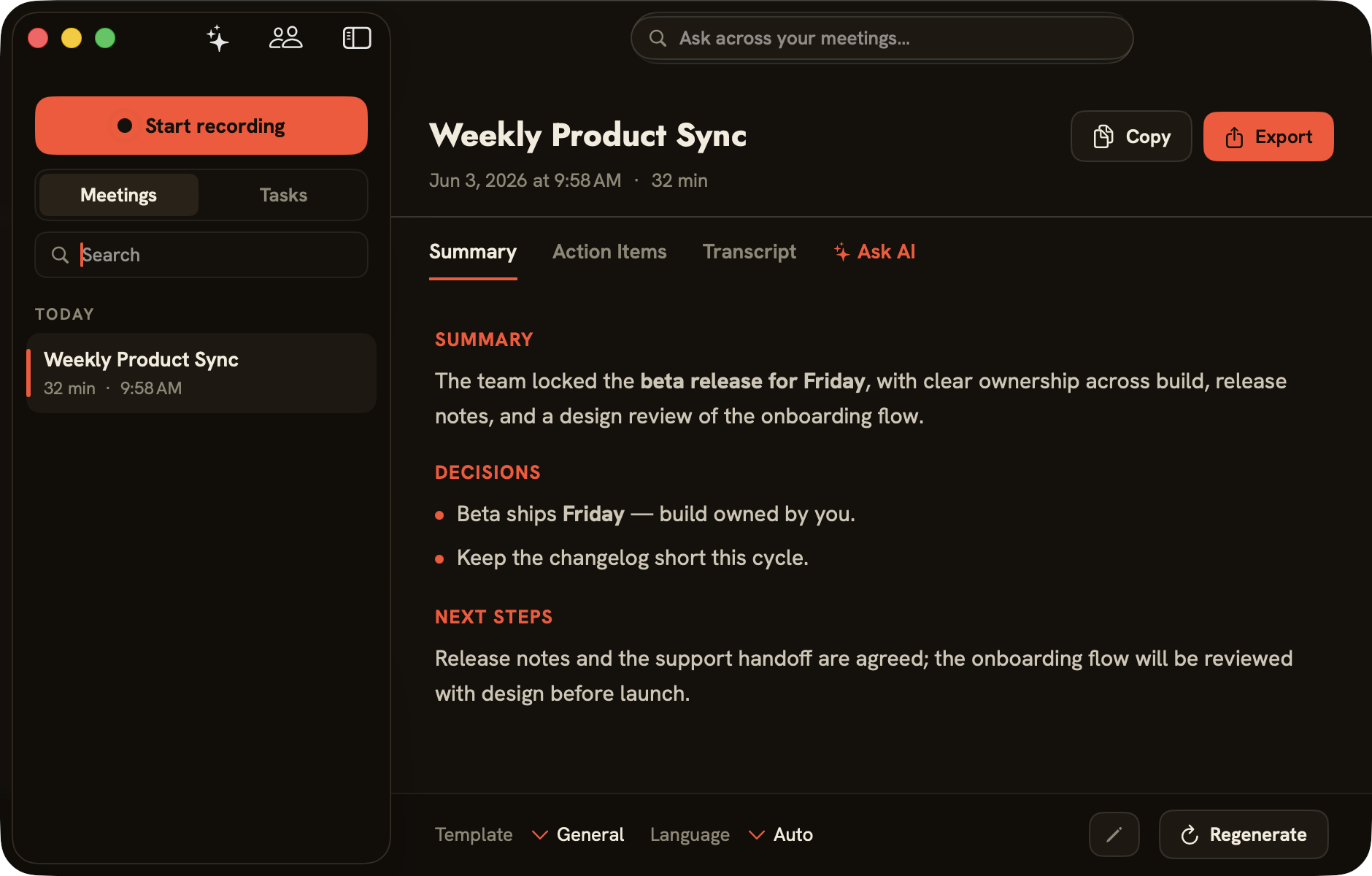
Every meeting becomes a structured summary — decisions, next steps and a clear list of action items — in templates for General, 1:1, Standup or Sales/Customer. Choose the engine per meeting: Claude in the cloud, or fully local with Claude Code, Apple Intelligence or Ollama.
Ask about one meeting, or search your whole history. Answers come with clickable sources that jump to the exact moment it was said — powered by the same engine you chose, cloud or fully local.
One toggle hands every finished meeting to Døgn, the companion time tracker — so the call you just had becomes tracked, billable time without retyping a thing.
Weekly Product Sync
32 min · finished
Døgn
+ 0:32 tracked
One toggle · meeting → billable time
Meet Døgn, the time trackerAudio and transcripts live only in a local database. Cloud summaries use your own API key, stored in the macOS Keychain, and can be turned off entirely. Built for consent-first recording.
| folo | Cloud transcribers | |
|---|---|---|
| Bot joins your call | No | Usually yes |
| Audio leaves your device | No | Yes |
| Speaker recognition | On-device, remembered | Cloud-side, if any |
| Works with any meeting app | Yes — audio-based | Per-integration |
| Pricing | €99 once | €200–360 per year, per seat |
Less than four months of a meeting-AI subscription.
No — local recording, nothing in the call.
No — recording, transcription and speaker recognition are 100% on-device. Only optional summary text can go to the cloud, and only if you pick a cloud engine.
Any — it captures audio, not an integration.
Yes — on-device diarization separates each speaker, and naming a voice once lets folo recognize that person in every future meeting.
Your choice per meeting: Claude in the cloud, or fully local with Claude Code, Apple Intelligence or Ollama. The local options are €0 and never send your text anywhere.
Yes — one toggle sends each finished meeting to Døgn, turning the call into tracked, billable time.
No — one-time, free updates.
Refunds are handled by Lemon Squeezy under their buyer terms — reach out if something’s not right.
Bot-free, on-device, yours to keep.