Learning path
Ask folo
Last updated: November 2026
When was the release due, and who took the tests? Ask folo the way you’d ask a colleague. That works for a single meeting or across all of them. Every answer shows the passages it rests on.
Asking one meeting
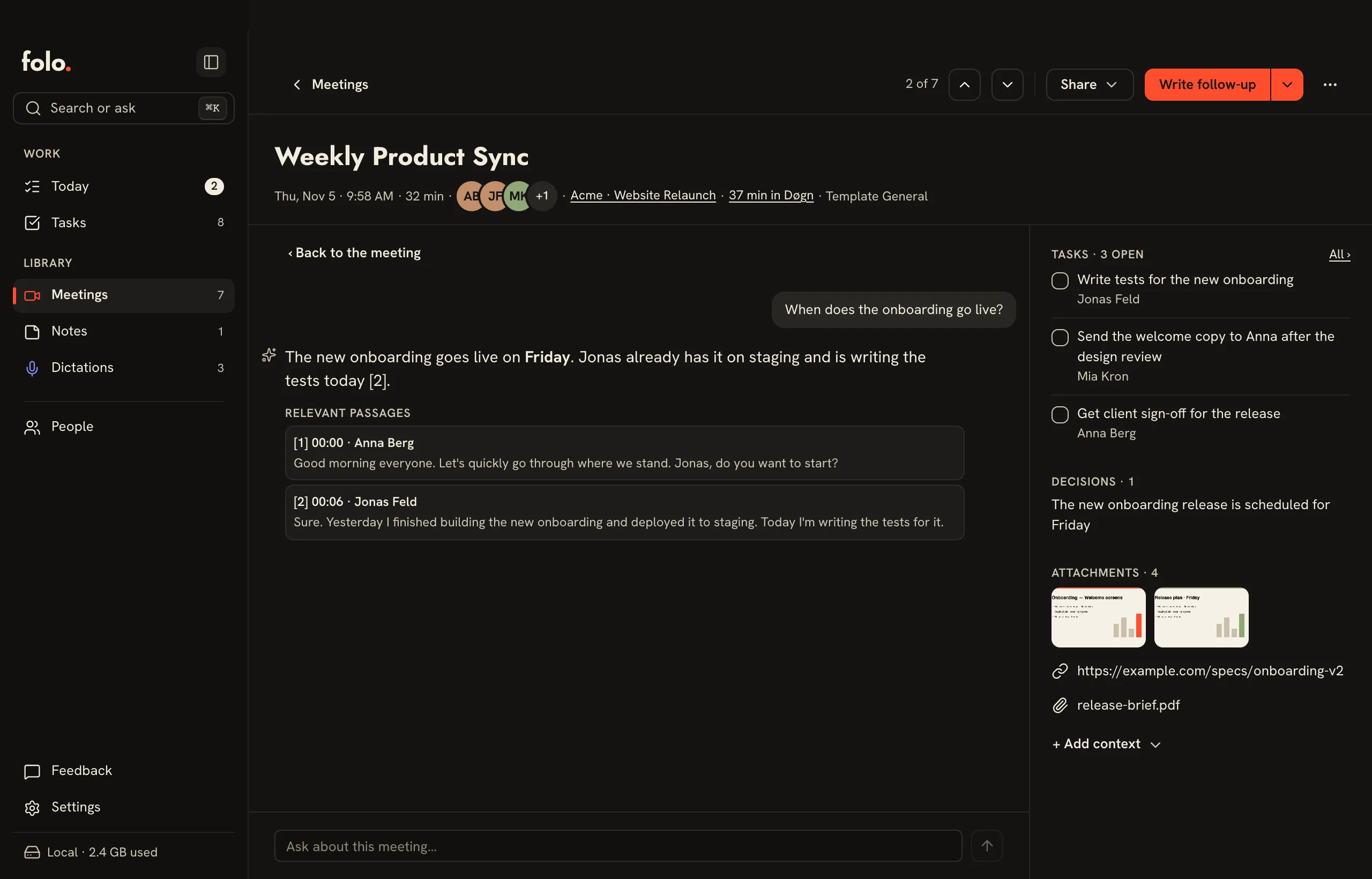
On the meeting page, “Ask about this meeting” opens a chat with exactly this conversation. The answer comes from the transcript. Below it are the “Relevant passages”, whole passages with speaker and time. A click on one jumps to that spot in the transcript. Ask follow-up questions in the same field.
Asking across every meeting
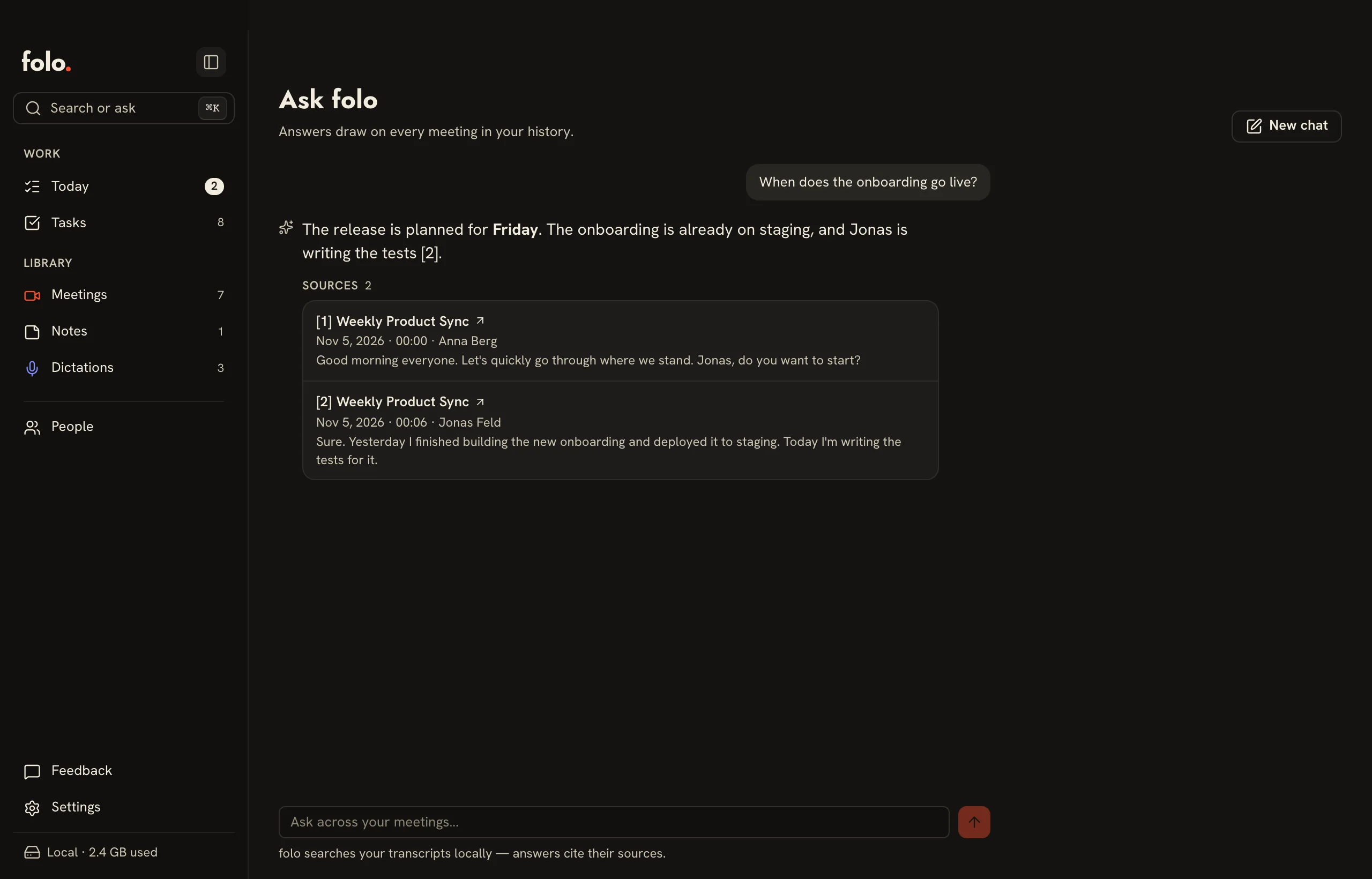
Press ⌘K (Ctrl + K) or click “Search or ask”, type your question and pick “Ask folo: …”. Below the answer are the “Sources”: meeting, date, time and speaker. A click opens the meeting at that spot. “New chat” starts over.
Search or ask: the palette
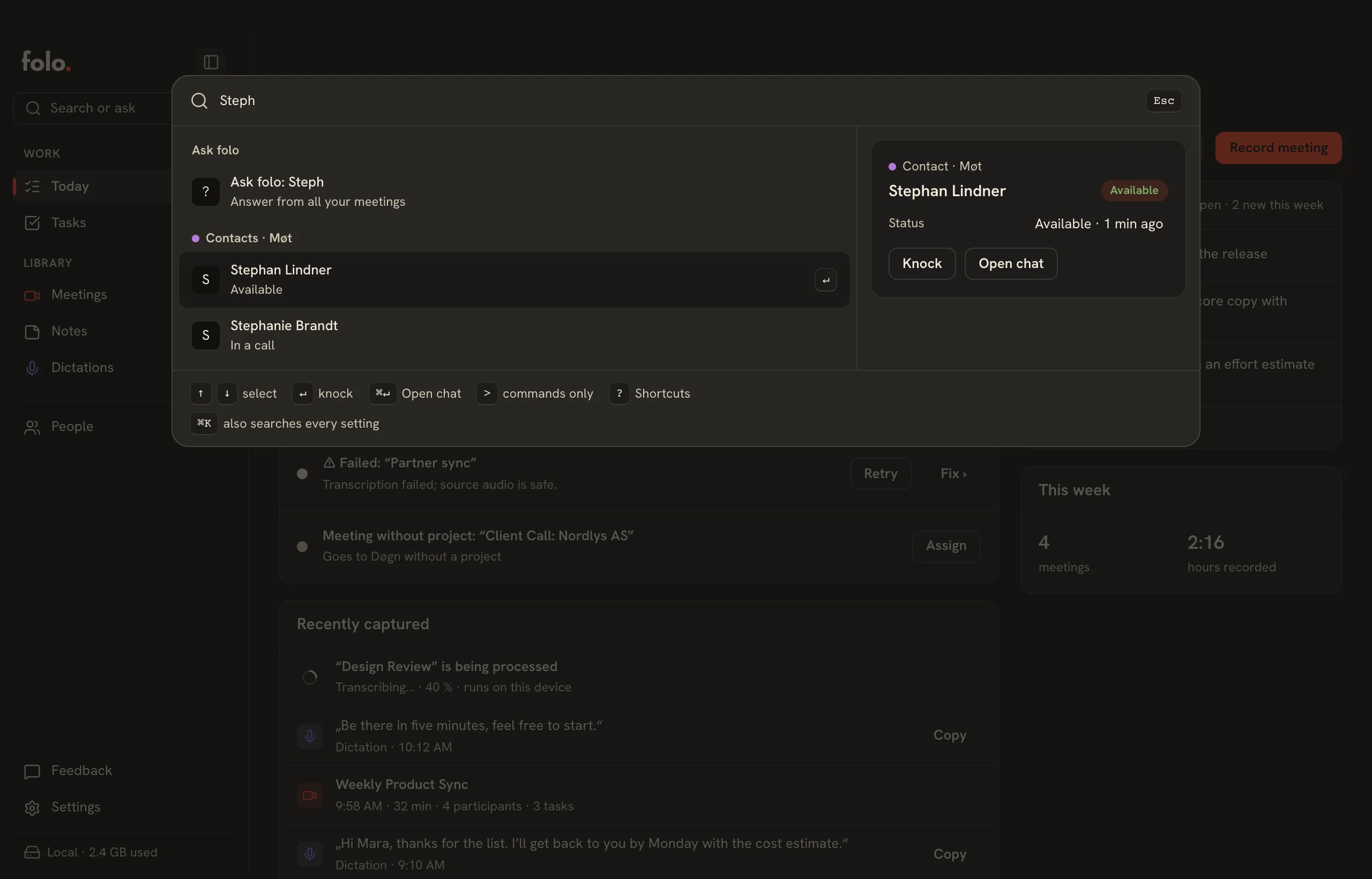
The field does more than ask. It finds meetings, tasks and every setting, and runs commands like “Record meeting” or “New task”. Start with > to see commands only.
If you use the other kveik apps too, the palette finds their things as well: time entries from Døgn, invoices and receipts from tjent, contacts from Møt. Commands of those apps run from here, such as starting a timer in Døgn. On a Møt contact, ↵ knocks and ⌘↵ (Ctrl + Enter) opens the chat.
Which AI answers
Ask folo uses the AI you chose under “Where does the AI run?”. folo searches your transcripts locally. With the built-in model, Ollama or a local server, everything stays on your computer. With Claude Haiku 4.5 or Claude Code, the question and the matching transcript passages go to Anthropic.
Ask folo doesn’t run through Codex CLI, which is for summaries, topics and tasks only. After the trial, Ask folo needs an active license.