Learning path
Transcript & speakers
Last updated: November 2026
The transcript is the base for everything else. folo separates the speakers as it goes: every person on their own, not just you and everyone else. Each turn has a name and a time.
Reading the transcript
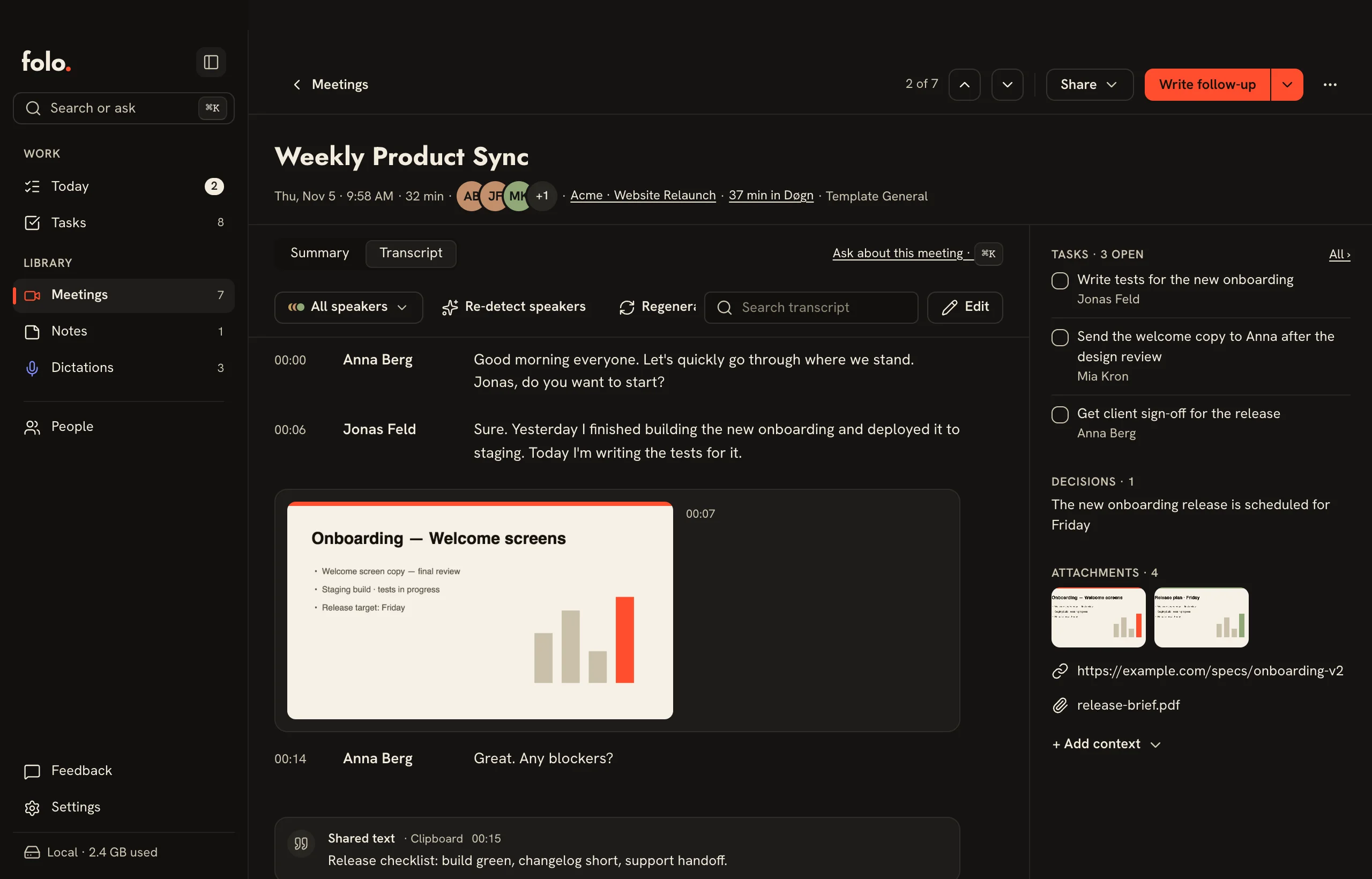
Under “Transcript” you read the conversation turn by turn. Screenshots and shared context sit at their point in time, set apart from what was said. “Search transcript” finds passages.
“Edit” turns the whole transcript into a text field. Enter splits a paragraph, backspace on a speaker badge merges two, a click on the badge changes the speaker. ⌘↵ or ⌘S (Ctrl + Enter or Ctrl + S) saves. If you correct a word, folo offers to add it to your own terms.
Assigning speakers
“All speakers” opens the list of voices. There you listen to each one, search by name and link it to a person or a participant from your calendar. folo recognizes linked people in every meeting.
“Re-detect speakers” reads the names from the conversation, which needs an AI. “Set participants & recompute…” lets you say who was really there, and folo reassigns the voices. This only works while the meeting’s audio is still there.
Regenerate afterwards. If you change speakers later, the finished summary may still use old names. folo points this out, and “Regenerate” brings it up to date.
Choosing the engine
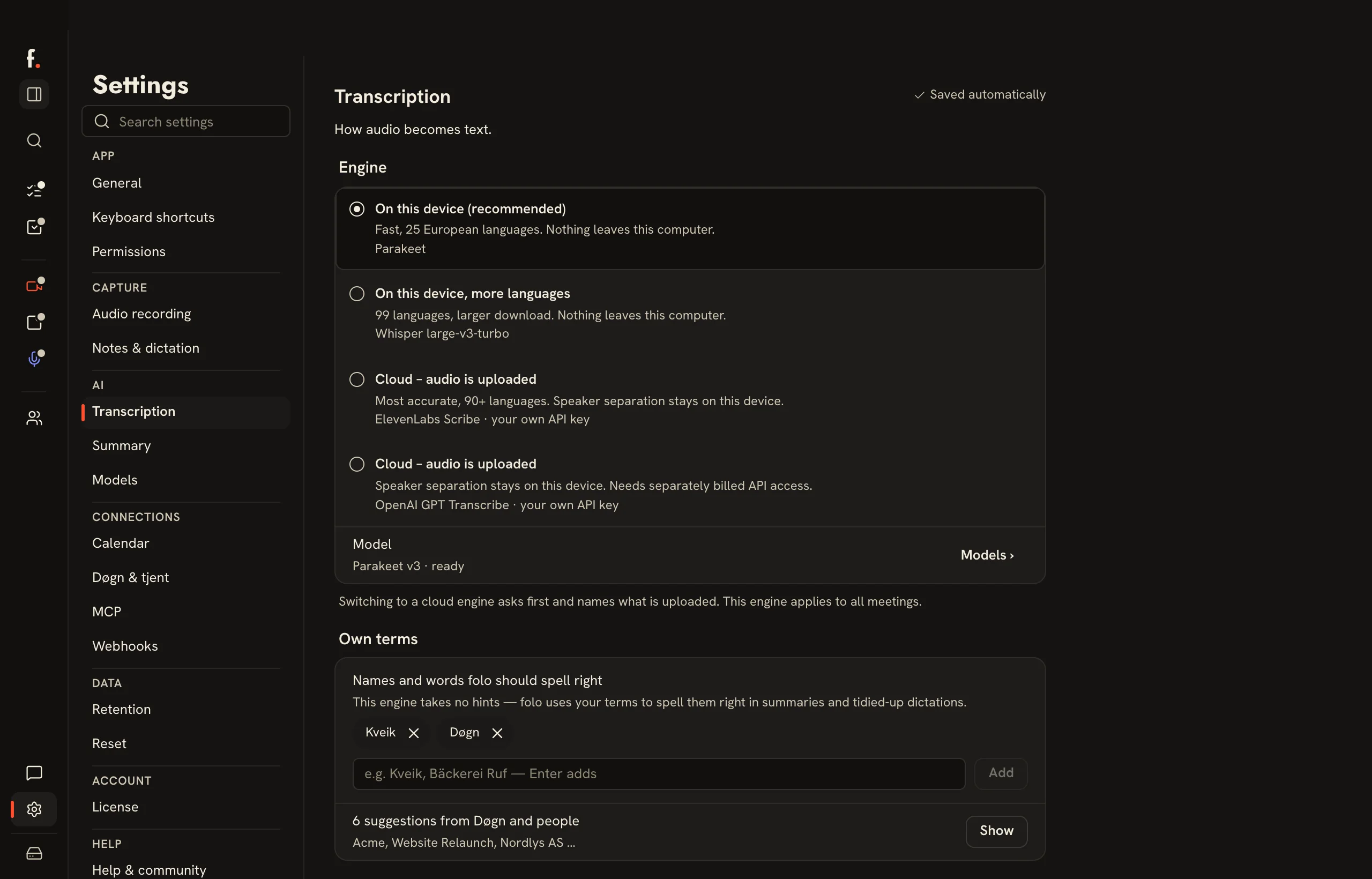
Under “Settings › Transcription” you choose how audio becomes text:
- “On this device (recommended)”. Parakeet: fast, 25 European languages, about 640 MB. Nothing leaves your computer.
- “On this device, more languages”. Whisper large-v3-turbo: 99 languages, larger download. Nothing leaves your computer.
- ElevenLabs Scribe. Cloud, audio is uploaded. Most accurate, 90+ languages, with your own API key.
- OpenAI GPT Transcribe. Cloud, audio is uploaded. With your own API key; a ChatGPT subscription doesn’t cover it.
Speaker separation stays on your computer either way. The choice applies to meetings, notes and dictations. folo asks before switching to a cloud service.
Want an older meeting rewritten with another model? “Regenerate” in the transcript does that, as long as the audio is there.
Background: on-device meeting transcription, explained.
Own terms
Company names, jargon, colleagues: under “Own terms” you enter what folo should spell right. folo suggests names from Døgn and your people. Cloud services get the terms as hints. Locally, folo uses them to get the spelling right in summaries and tidied-up dictations.